Shift timer
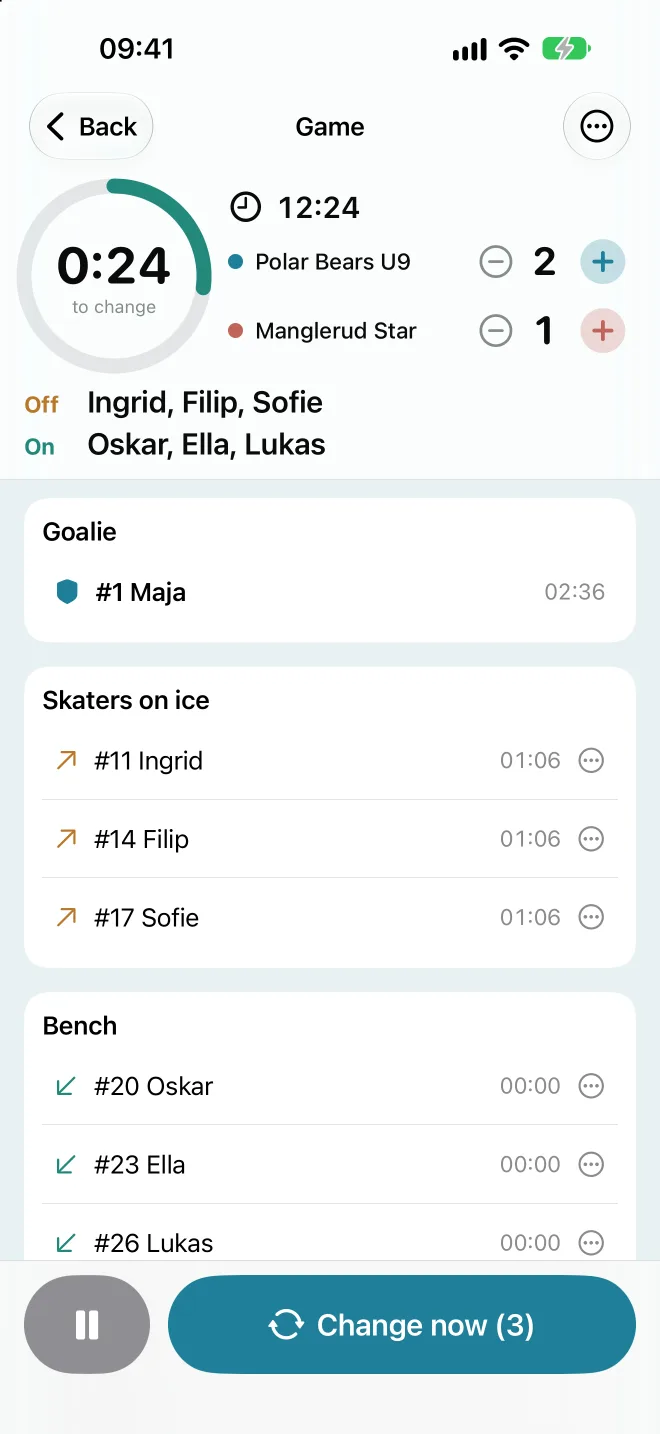
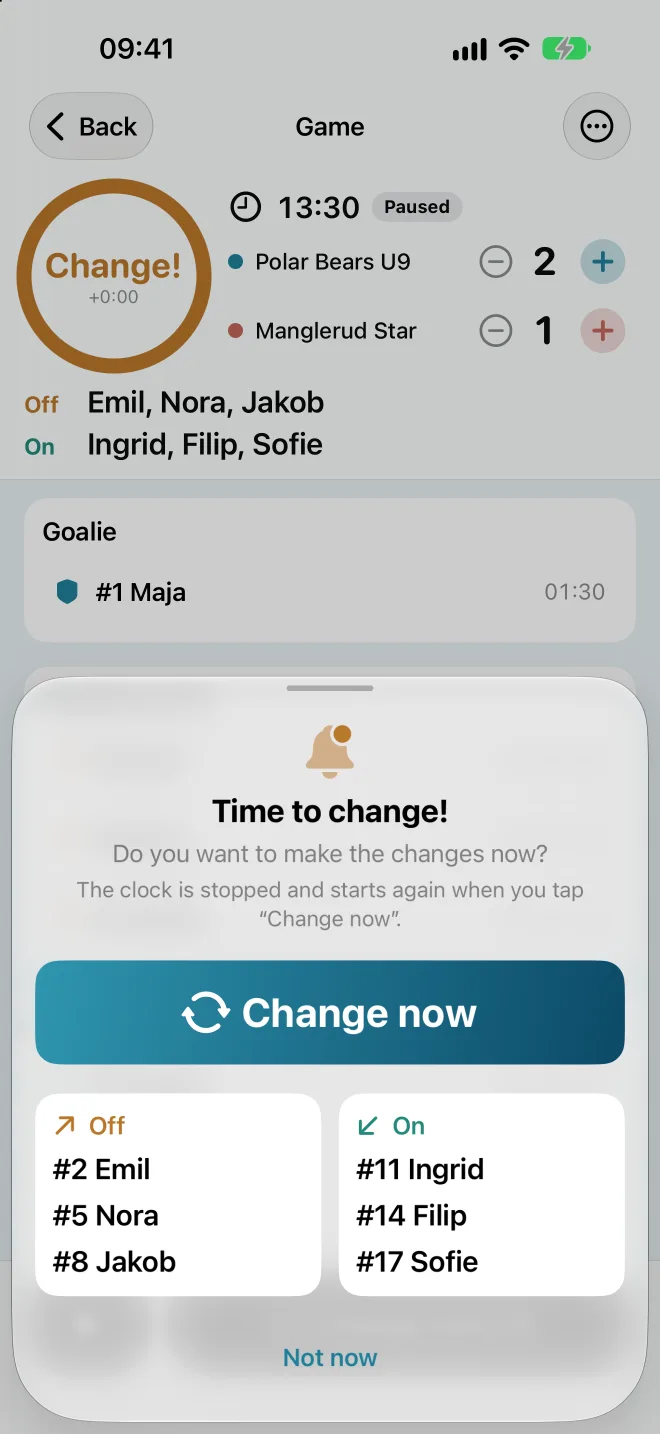
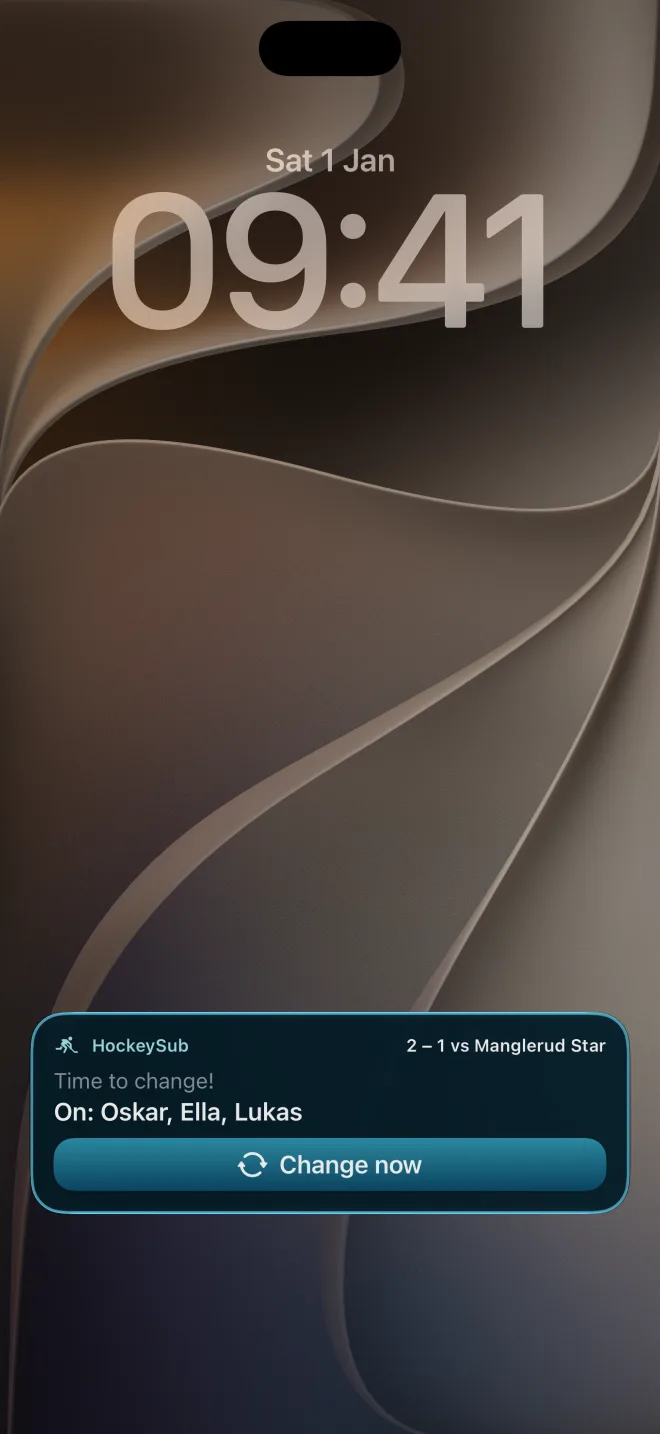
The app tells you with a vibration and a sound when the shift is over, and shows who goes on and who comes off.
 For youth hockey coaches
HockeySub tells you when it is time to change lines, shows who goes on and who comes off, and keeps track of playing time. So you can watch the game instead of the clock.
Free to download. For iPhone, no account and no ads. In English, Norwegian and Swedish.
Made for the coach standing with the kids, not with a spreadsheet.
The app tells you with a vibration and a sound when the shift is over, and shows who goes on and who comes off.
Playing time is counted for every player, and fair rotation makes sure everyone gets about the same time on the ice.
The clock and the next change show on the lock screen and in the Dynamic Island, so you don’t have to unlock your phone.
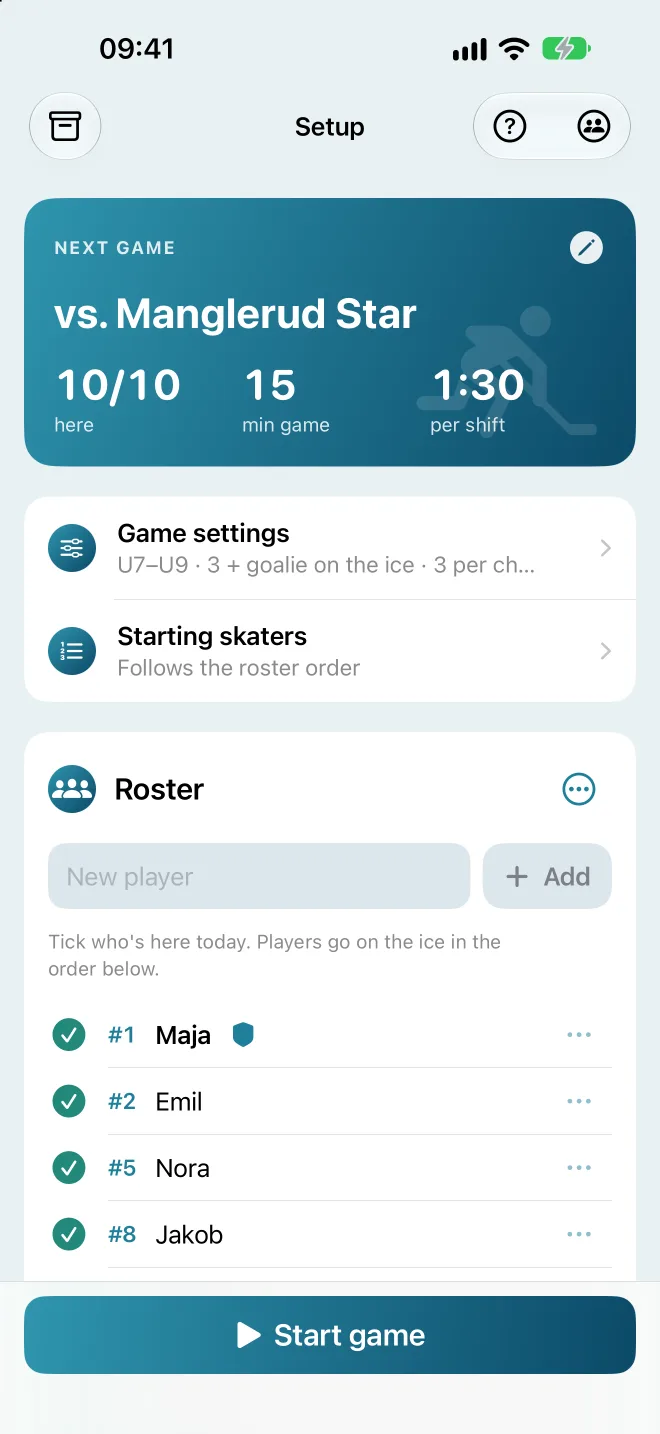
Pick the rules (Norway, Sweden, IIHF or Canada) and an age group, and the number of players, game length and shift length are filled in from the youth rules. You can change everything afterwards.
Tap a player to choose who changes next. Injured player? Bring someone in from the bench with one tap.
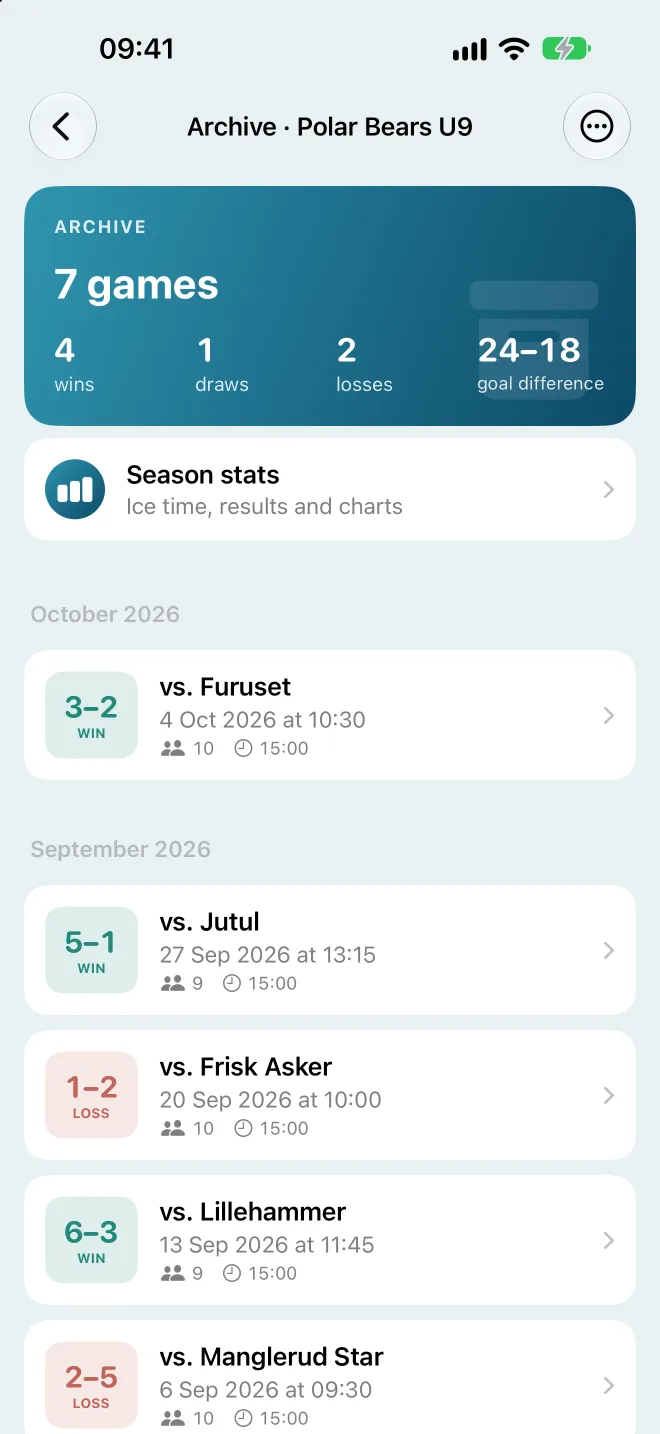
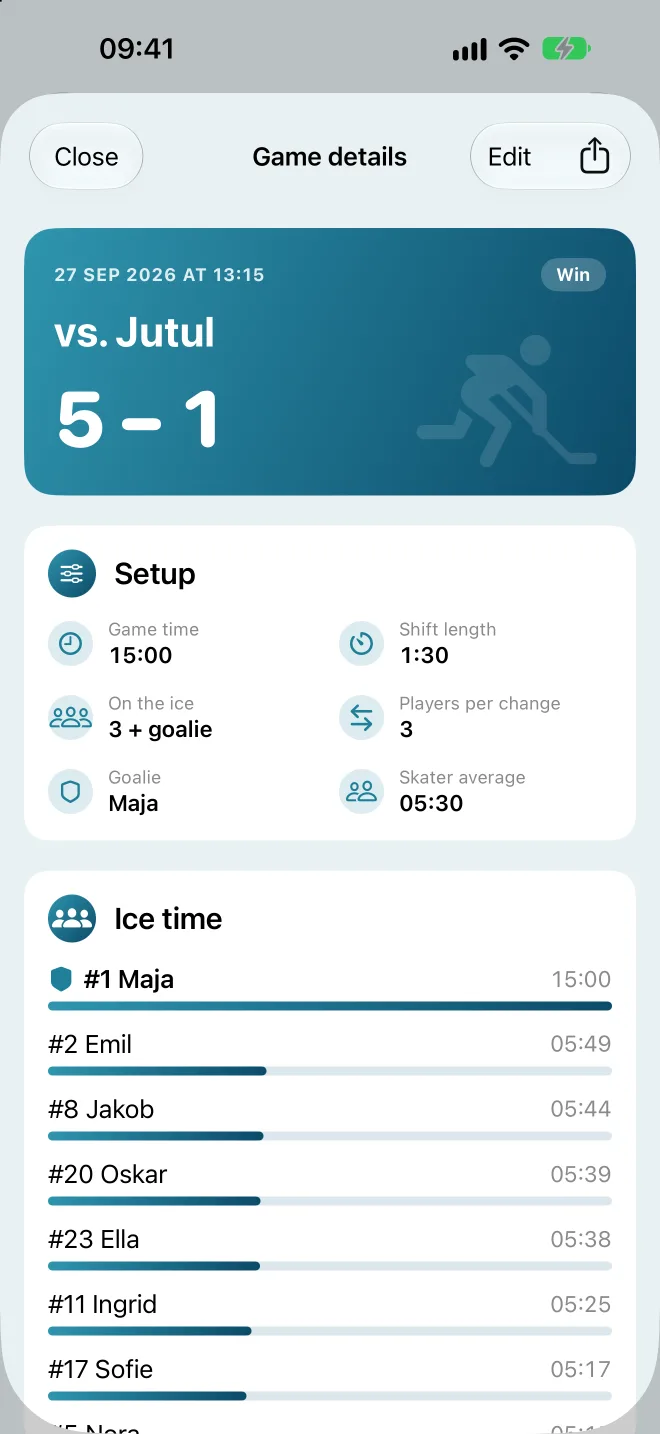
Every game is saved with each player’s playing time, and with the result when the score counter is on. You can correct a game afterwards.
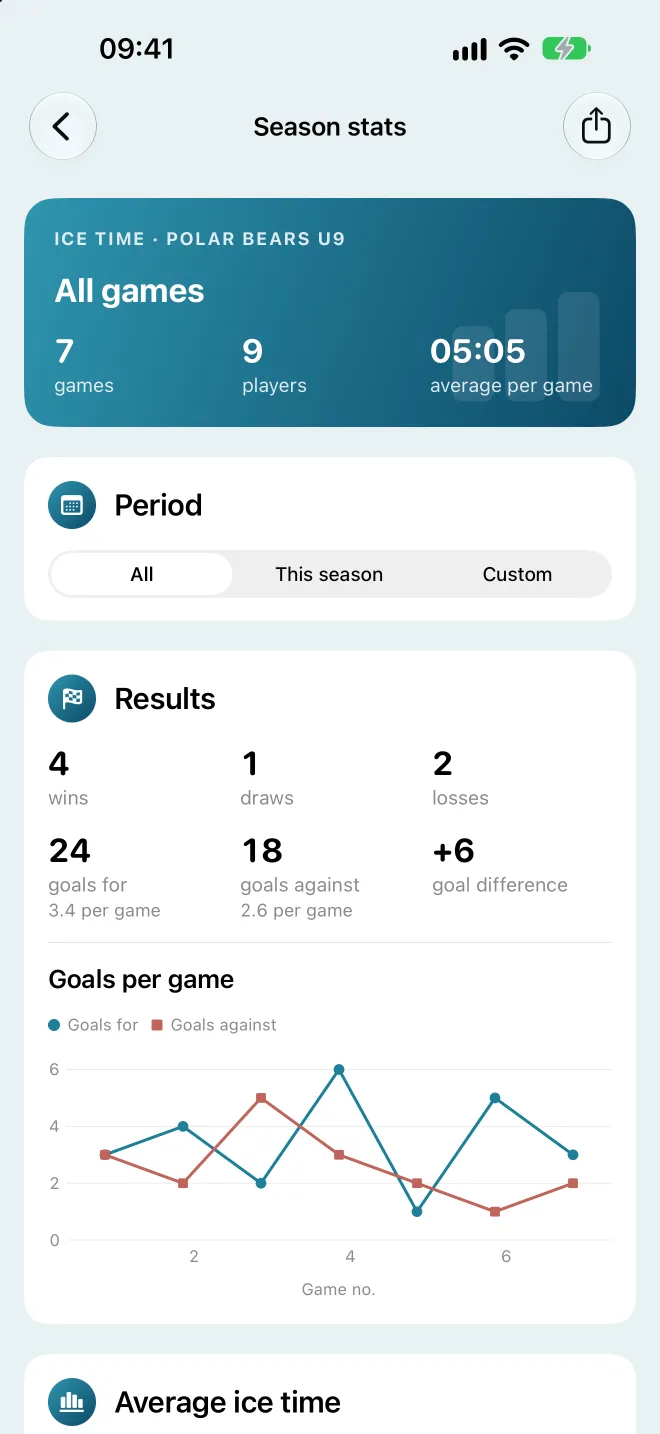
See each player’s average, wins and losses, goals for and against and how evenly ice time is shared, with charts. For the whole season or the dates you choose, and as a PDF.
Create a tidy game report and send it to parents or the club. One game is free. With Pro you can put several games together in one PDF.
Keep several teams in one app, each with its own roster, game setup and archive. Switch teams with one tap.
Share the team with assistant coaches through an iCloud link, and the roster and archive stay in sync for everyone automatically. Assistant coaches join for free, and sending the team as a file is always free.
HockeySub is free to download. Everything you need during a game is free, and it stays that way.
79 kr
One-time purchase. No subscription.
With Family Sharing, your whole family can use Pro. The purchase goes through the App Store.
Three steps from download to your first line change.
Type in their names, with jersey numbers if you like, and choose the goalie.
The rules are filled in for the age group. Tick off who is here today.
When the app tells you, tap the change button. After the game, everything is in the archive.
Calm colours, big buttons and only what you need during a game. Scroll sideways to see more.

No account, no ads and no tracking. Everything you enter is stored on your iPhone, and is only shared when you choose to.
Tell us what you miss, what could be better, or if something doesn’t work. Every message is read.